cleanAccordion
About
-
Very Cool Features
100% Reponsive
Go ahead and test it out - this theme is the fully responsive Charis. Resize your screen and watch cleanAccordion adjust to the size.
Where You Can Place It
Anywhere stacks can go cleanAccordion can follow. You will need an additional plugin to place outside of the page element, such as PlusKit.
How Many Tabs You Are Limited To
NONE! There is absolutely no limit… well of course it might look silly after a while if you put too many, and if you put just one it sorta defeats the purpose… but you still can.
-
Extremely Easy to Use
- It's so easy to use that this pretty much all you need to know:
1. Double click the install file (it's now installed almost instantly)
2. Create a Stacks page
3. Drag cleanAccordion into the Stacks page you just created
4. And add section panels by pressing the add button. -
Lots of Customization Options
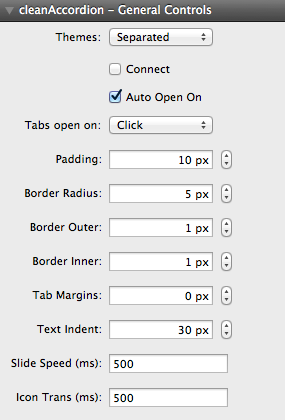
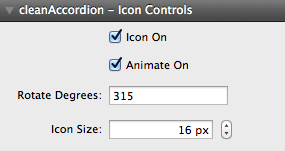
- cleanAccordion comes packed with 6 themes and over 40 easy-to-use Customization options and great tutorial and video support for even the newest of users. Lots of color controls and great flexibility make cleanAccordion a perfect match for any theme.
You can turn off the tab's from sliding and even place anchor tags in them making cleanAccordion capable of serving as a side menu.
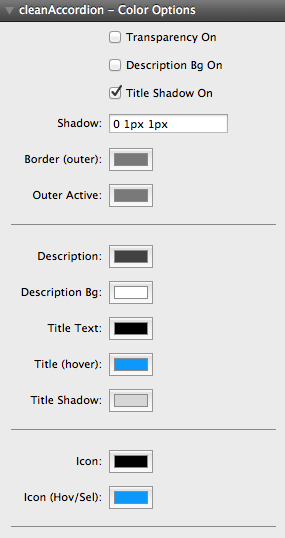
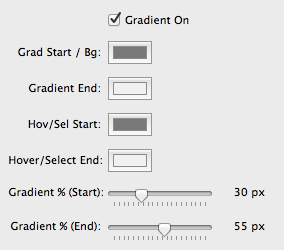
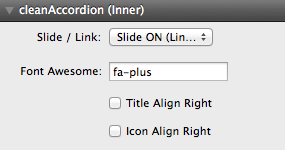
-
Animation Speed Increased
- This setting is an animation speed of 0ms (0 milliseconds), which sets animations to occur instantly. Change to any speed for both the drop down animation effect as well as the hover color and spinning effects.
-
Icon Floated Right
- Every tab's text and icon can be shifted to the right (is set to the left by default).
-
Fixed Height Set
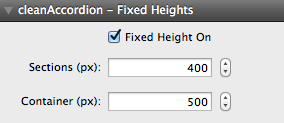
- Fixed height must be tested through trial and error, but when finished you can prevent the accordion from shifting content on your page.